

Zone-Based Email Management
- agents
- dashboards
- n8n
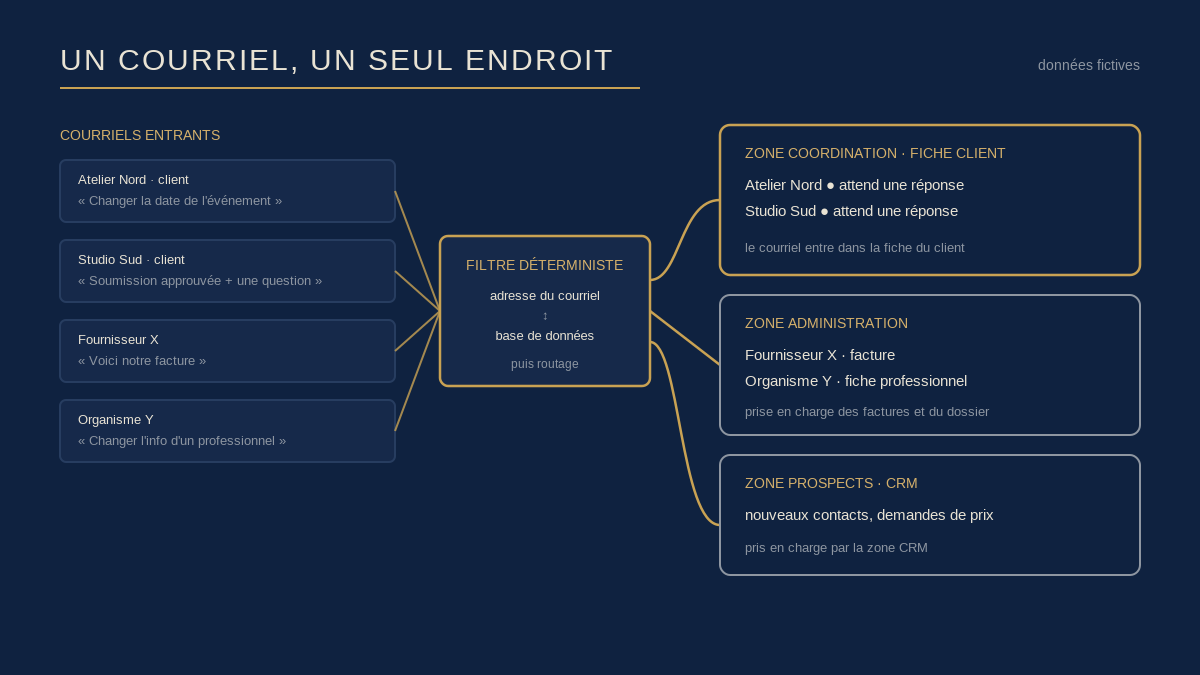
Email takes up more of my coordination work than anything else. Instead of an inbox where everything piles up, I split my emails into zones, and then right into client files. Each zone is connected to what I need to reply.
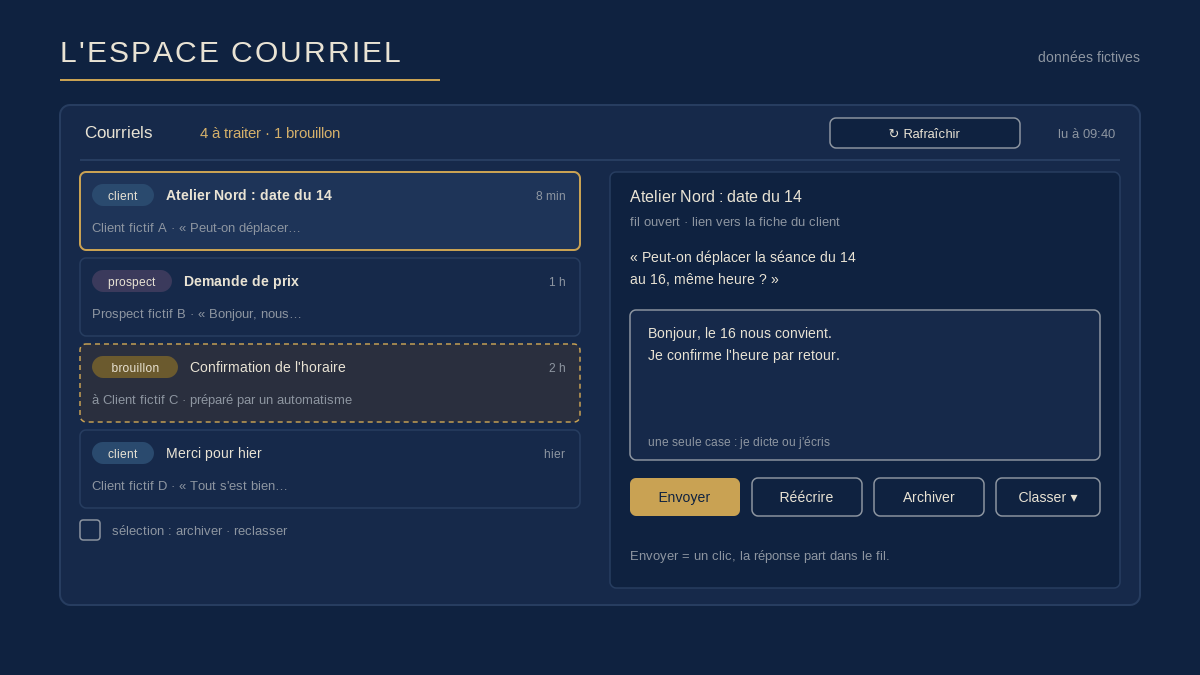
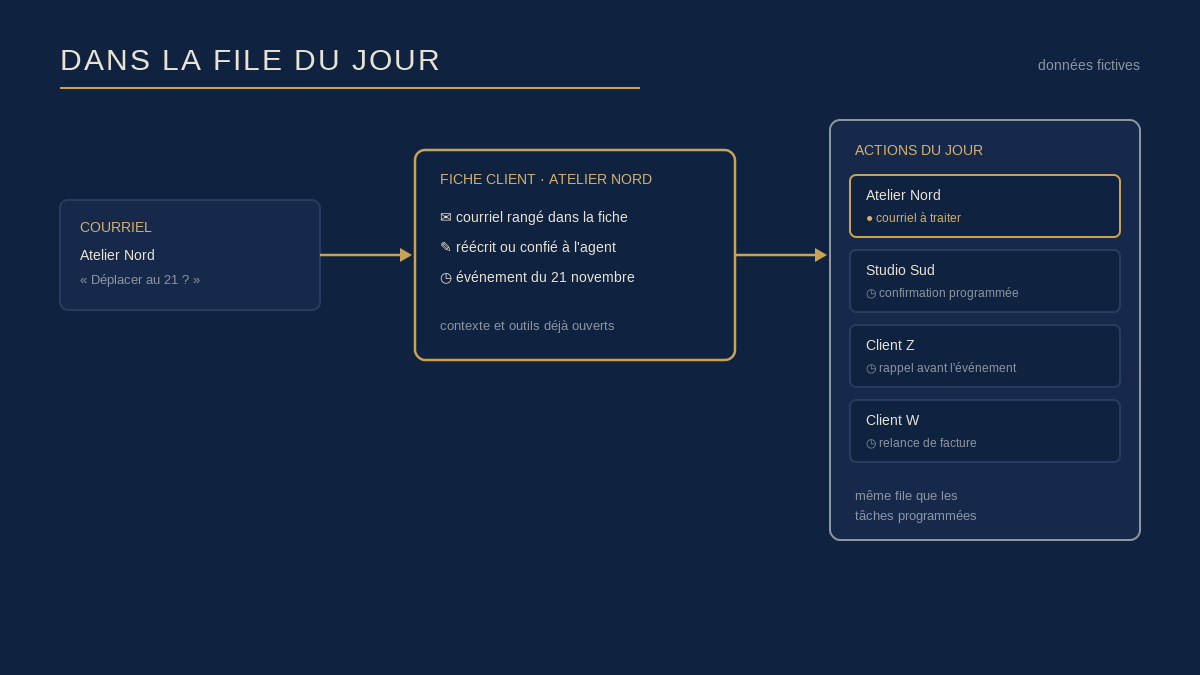
An email from an active client goes straight into that client’s coordination zone. A filter brings the client’s file to the top, so I know they’re waiting for a reply. My inbox stays clean because the email lives in one place only: the file. And when I open the file, I already have the context and all of the client’s tools at hand. I can launch tasks, respond to the needs raised in the email, or hand the whole thing to my agent.
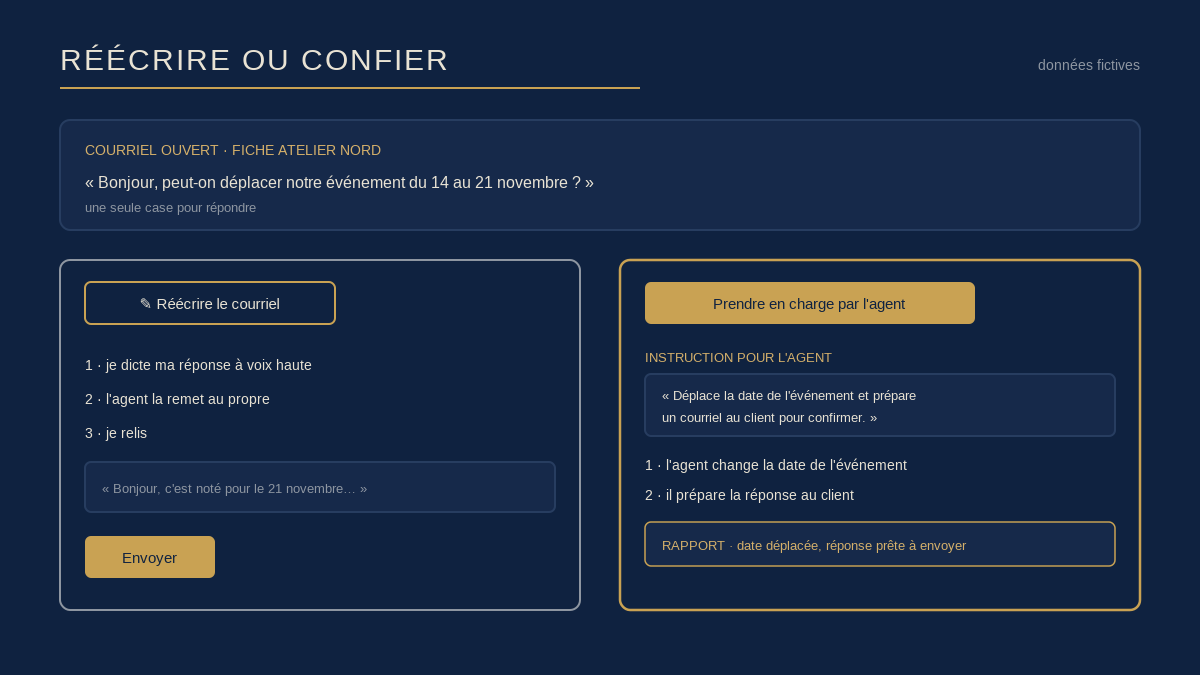
Two buttons for the agent.
- Rewrite. I dictate my reply out loud, and the agent cleans it up.
- Take over. I give the agent instructions, and it acts on the task. For an administrative email, for example, I can ask it to check the facts before going any further, or simply to handle the task.
My agent has limited freedom to act: only certain tasks and certain skills. When a task falls within that scope, it completes the task according to my instructions, then reports back to me.
These zones live in my coordination dashboard.
In how many places does a single email end up for you?